Chat Logs
Review every conversation your April agent has with visitors.
Chat Logs give you full visibility into every conversation your agent has with website visitors.
Viewing Conversations
The Chat Logs page shows a list of all conversations with:
- Date and time — When the conversation started
- Message count — How many messages were exchanged
- Visitor info — Email address (if lead capture is enabled)
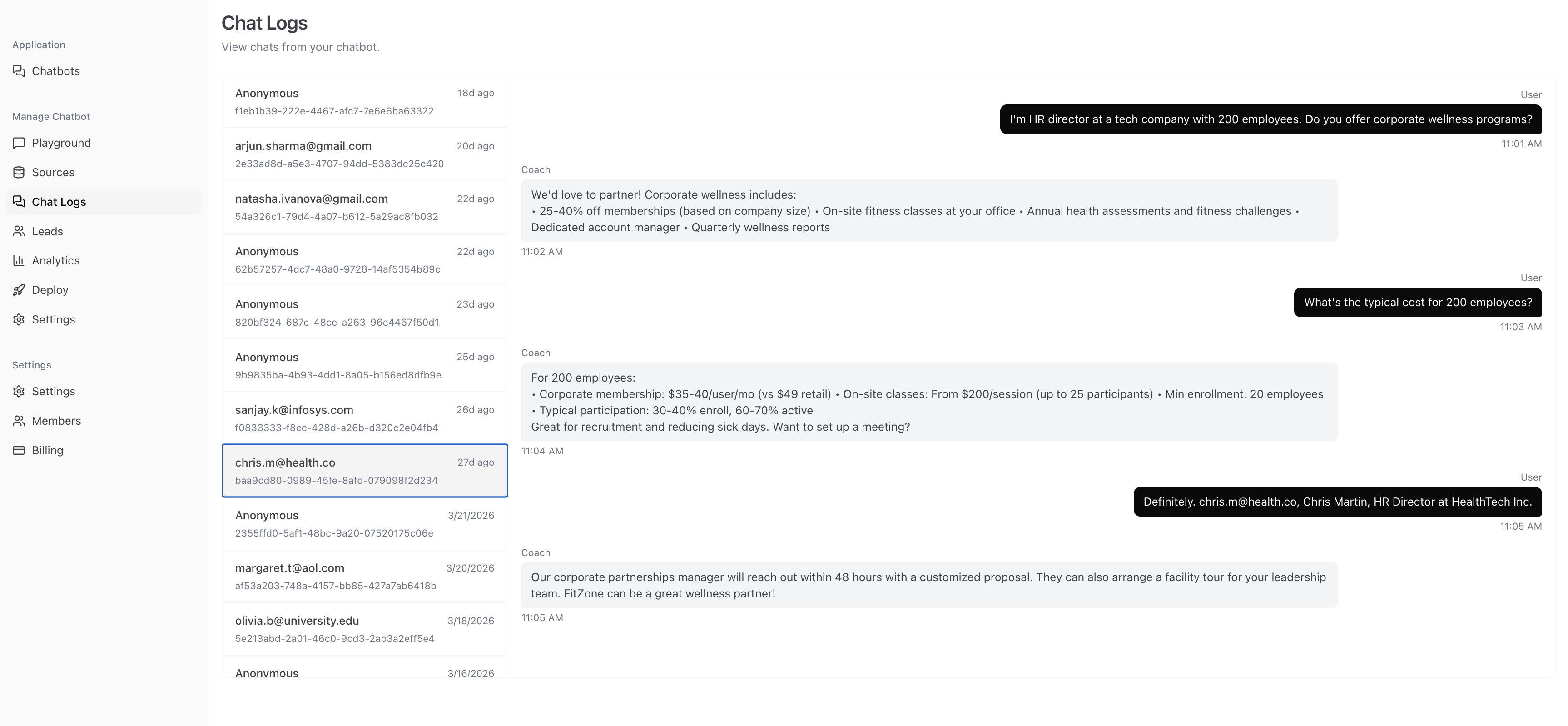
Click any conversation to view the full message history.
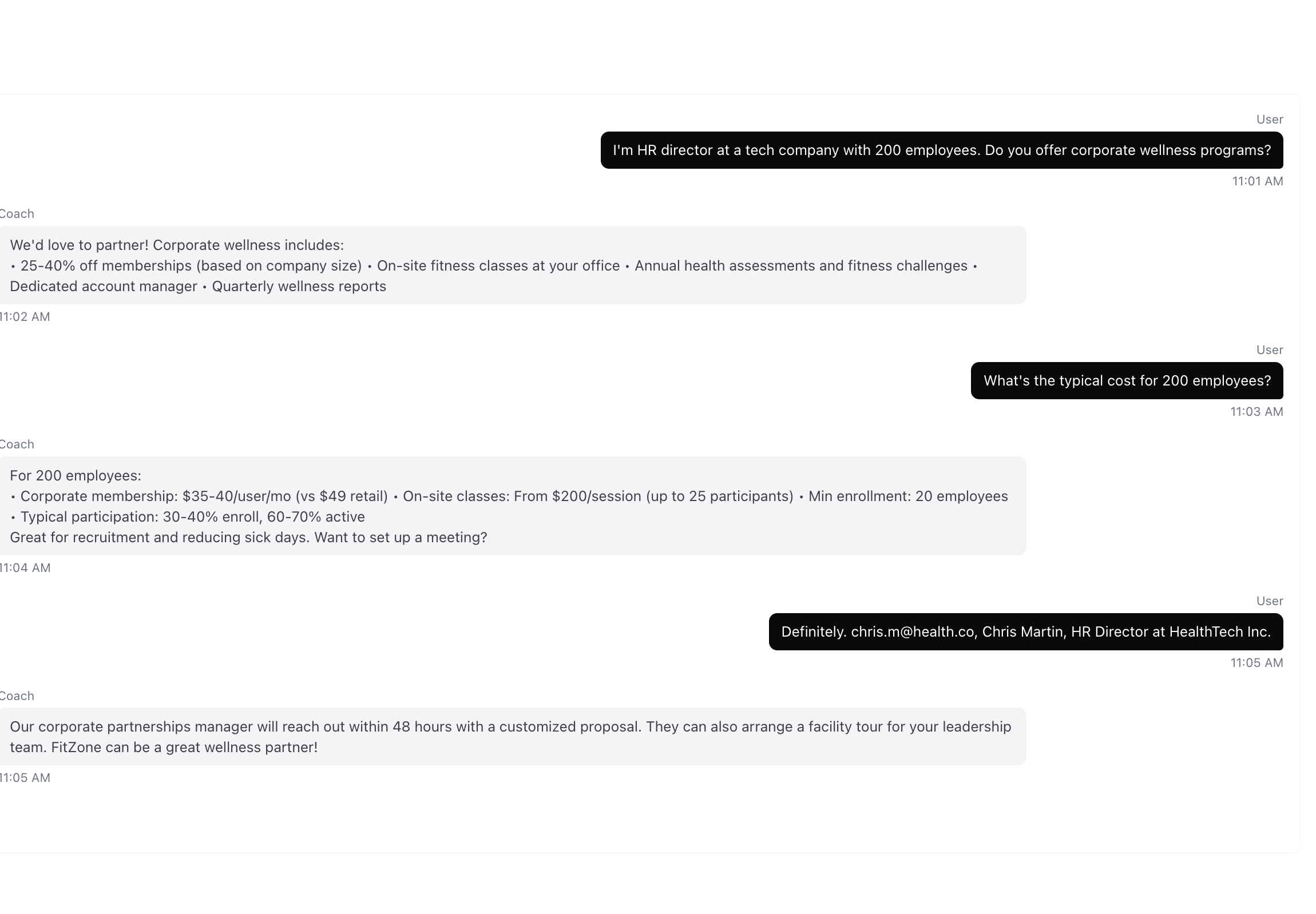
Conversation Details
Each conversation shows:
- The complete message thread between the visitor and your agent
- Timestamps for each message
- Visitor information (if captured)
How to Use Chat Logs
Identify Knowledge Gaps
Look for conversations where your agent couldn't answer a question or gave an incomplete response. These are opportunities to:
- Add new sources covering that topic
- Create a Q&A pair with the exact answer
- Update existing content to be more comprehensive
Monitor Quality
Regularly review conversations to ensure your agent is:
- Providing accurate information
- Maintaining the right tone
- Staying on topic
- Handling edge cases gracefully
Track Customer Needs
Chat Logs reveal what your customers actually care about. Use this insight to:
- Improve your product documentation
- Update your website content
- Identify common pain points
- Inform your product roadmap